Help
How to take a full-length photo for the try-on
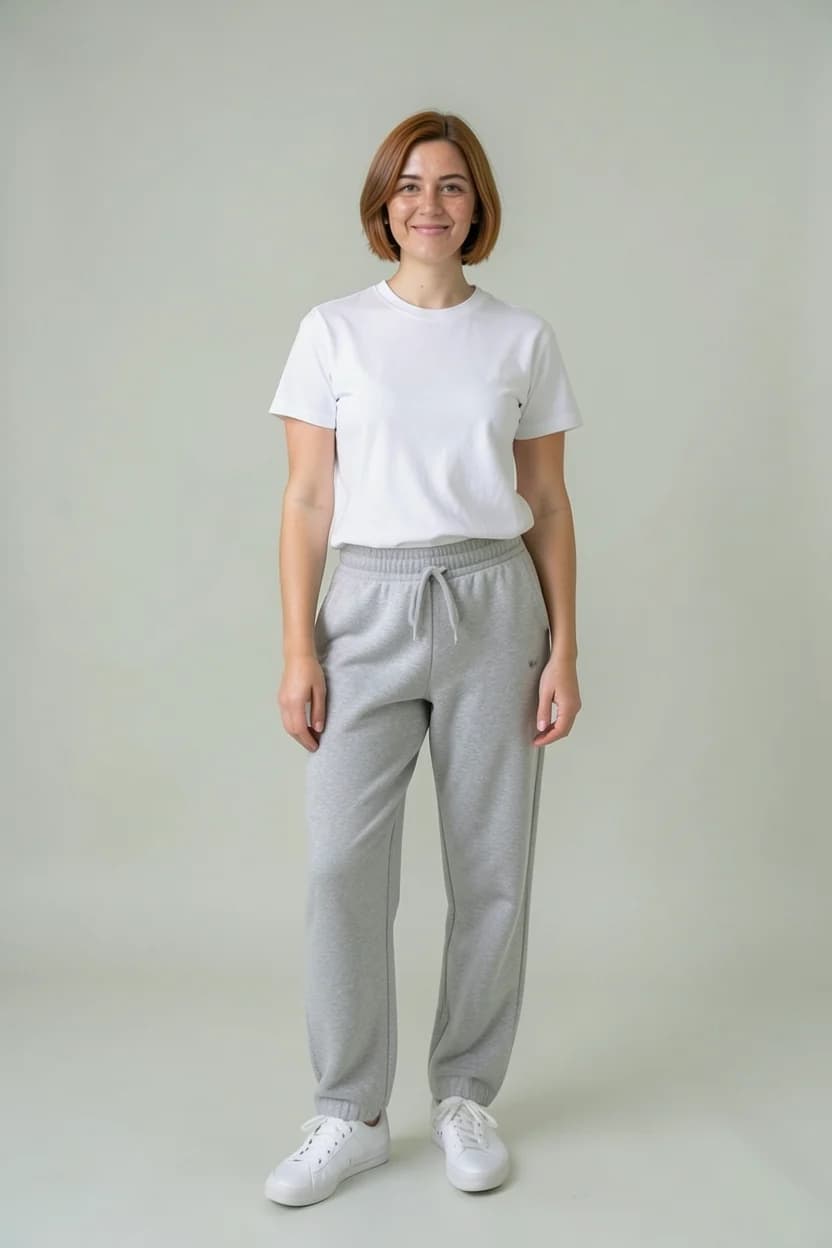
Short answer: stand upright on your own and hold the phone in portrait, head to toe in the frame. Keep your face clear and uncovered and your feet in view; no sunglasses, everyday glasses are fine. Face the light somewhere bright, and come close enough to fill the frame.
Last updated:

Before you take it
- Just you in the photo
- Portrait, head to toe in the frame
- Your feet in view too
- Your face clear and uncovered
- No sunglasses; everyday glasses are fine
- Close enough to fill the frame, not from far away
- Somewhere bright, with the light in front of you
Fitted clothes show your shape best.
When the app asks for a new photo
With any of these the photo isn't used for the try-on; the app says why and asks for another, and the photo you already use stays.
- More than one person is in the photo.
- Your whole body isn't in the frame.
- You're wearing sunglasses (everyday glasses are fine).
- Part of your face is covered by a mask, a hand, a phone or hair (a headscarf doesn't count).
- Your face isn't visible; the try-on currently works with a photo that shows your face.
- It's taken from too far away; you're tiny in the frame.
What comes as advice
With these the photo is used, with a tip for a better one.
- Your feet aren't visible: shoes are left out of try-ons.
- It's taken from the side or behind.
- You're sitting or crouching.
- Your face looks small; bring the phone a little closer.
- Low resolution; pick the original photo, not a screenshot.
- The photo is dark.
- The light is behind you, leaving your front in shadow.
- The photo is blurred.
- Your head is tilted.
- The photo is landscape.
- The photo is cropped very narrow.
- Your head touches the top of the frame.
- Your feet touch the bottom of the frame.
After you upload
- The photo uploads; the one you picked shows at once as a thumbnail.
- It is checked for face, height and light. That usually takes about 15 seconds, and it keeps going if you leave the screen.
- If it fits, the try-on uses it; any tips show under it.
- A photo over 15 MB doesn't upload, and the number of full-length photos you can upload a day is limited.
Privacy
Full-length photos need your explicit consent, which also covers detecting whether your head is covered and the face comparison. You can delete the photo and withdraw your consent at any time in the app's Profile, under "Delete photo, withdraw consent".
About the full-length photo
Can I wear glasses?
Everyday glasses are fine. With sunglasses your eyes don't show, so the app asks for a new photo.
Why weren't my shoes tried on?
If your feet aren't visible in your full-length photo, shoes are left out of try-ons. Pick a photo that shows your feet.
Is a headscarf a problem?
No. A headscarf doesn't count as a covered face; if your face is visible, the photo is used and the try-on keeps your headscarf.
Can I use an older photo from my gallery?
Yes, as long as you face the camera and show head to toe. Pick the original rather than a screenshot; in a screenshot your face can come out blurred.
The models and clothing images on this page were generated with AI; they are not real people.